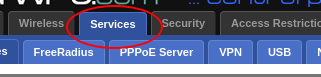
These two methods will enforce Google’s safesearch on all computers on your network (keep in mind that this won’t work for cell phones or other devices using cellular data). This is specific to any router using the DDWRT firmware. DDWRT is an open source firmware that is available to be flashed on a number of routers (check the DDWRT website for a list of compatible routers and installation details)
The simplest way to do this is to have your router edit your hosts file on each startup as follows:
echo '216.239.38.120 www.google.com
216.239.38.120 encrypted.google.com
216.239.38.120 google.com' >> /etc/hosts
restart_dns
What does this do ? It redirects those urls to the ip address of forcesafesearch.com. Your hosts file will be wiped out on every reboot of the router but the script will restore the settings.
While this is a very easy way of forcing safesearch, the disadvantage is that Google could change the ip address of safesearch. In addition, this method doesn’t permit wild cards.
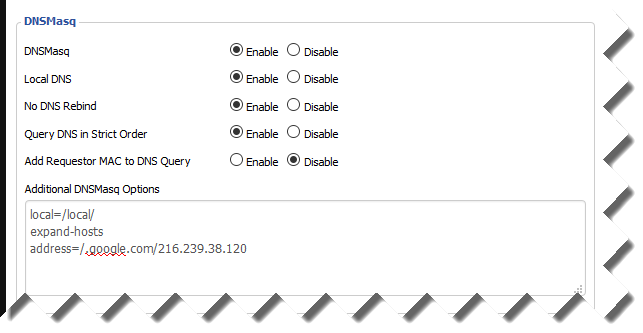
This method permits wildcards:
local=/local/

expand-hosts

address=/.google.com/216.239.38.120
Avoiding Browser Plugins with KeePassXC KeePassXC is a popular free open source password manager. As…
If you've had a Gmail account for years, like I have, at some point you…
Here's a little trick I use to back up my Raspberry Pi without having to…
I try to keep my email inbox fairly clean but I do subscribe to some…
I was recently faced with the dreaded prospect of re-installing Windows 10. While the standard…
Pi-Hole and Upstream DNS Providers Pi-hole is an excellent whole-home, self-hosted ad blocker and DNS…